Liftoff
This is probably my headlining project of my entire High School project portfolio. The one I'm most proud of, the one that got the most attention, and the one that I've received the most fan interaction from - even years later. As such, this'll be a longer post. Below will be a table of contents for easy navigation.
Table of Contents
Introduction
I'm not exactly sure where I found it - I know I stumbled upon it on reddit at some point, but what subreddit I am not certain. "LaunchLibrary.net" was the site - a public, open API that served information about upcoming rocket launches. My family moved down to the space coast in 2013, and we've always loved watching rocket launches, so this was already a cool service and site to me. I naturally was drawn to making a programming project with it, but it sat on the backburner for a bit. I was going through some personal relationship stuff through the spring, when I had discovered it, and spent the summer in some intense classes at a local community college that took most of my time.
By fall, I had a lot more free time. Wanting to distract myself a bit from the social environment of High School, I picked up my research into the service once more. And I dove in.
The Pebble Timeline
At this point, I'd developed a lot of pebble applications, whether they were watchfaces or watchapps. But what most intrigued me about the platform was a feature I had yet to touch - the timeline. It was a really neat concept: from your wachface screen, you can press the "up" button to view a chronological list of your upcoming activities - "pins."
Here's a little explanation from some members of the Pebble Team:
And a little example of what that looked like below:
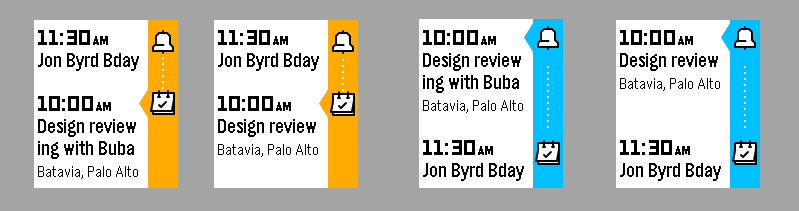
By default, the service could add your favorite sports teams, your calendar meetings, alarms, and weather updates to the timeline. But all this functionality could be augmented by third-party pebble applications which could add their own pins, customized to you. Some of them added "words/quotes of the day," some added some form of messaging through pins, and I saw the opportunity for something really cool: Rocket Launches.
How To Interface With The Timeline
An application could interact with the pebble timeline through two different methods (if I remember correctly): A pin can be added/manipulated from the phone-side javascript code you included with a watchapp, or, you can send web requests to the pebble servers with your service's authentication key and the data for the timeline pin, and it'd then distribute it to all relevant watches.
I already knew I'd have a centrally organized service that took care of everything. The launchlibrary API was going to take a little bit of work to format into a Pebble-appropriate pin, so I didn't want to have every user of the app hitting the free API endpoint over and over. Not efficient, and not smart.
In addition, the Pebble Timeline web API had a few different ways to actually associate pins with users. The default way was to get a user's "Watch Token" and send that with the request - one user, one token, one pin. This worked really well for services which delivered customized pins or reminders to single users, but what about services with globally-relevant pins? Well, Pebble had something called "Topics" (If I'm remebering correctly) that a watchapp could subscribe a user to. Then, every time a pin was pushed with that topic, it'd be delivered to all users subscribed to it. Perfect.
Relevant Documentation: Pebble Timeline // Pebble Developers (rebble.io)
Hosting & Server Work
I went with PythonAnywhere to host the code. I'm not 100% certain how I stumbled upon the host, but I'd worked with python a bit before for some personal scripts and work before, so I felt that was going to be the best choice for me. In addition, the host had a free tier I could play around in, it could host a database, it could host a web server (also python), lots of nice things.
So, I set up my first script to hit the LaunchLibrary endpoint, and.... 403 Forbidden. I changed up the User-Agent header of the request, and again, the same error. Lots of trouble-shooting went into why I couldn't get data from the service, until eventually, buried in the FAQ/Support page of PythonAnywhere, I found it.
It wouldn't let me make external web requests (with a few exceptions) on the free tier.
So I paid.
This was the first time I'd actually paid for any kind of web service, so I was a little nervous. But it was something I really had hopes for, and thought would be more than worth it. I was right, but I was very nervous.
Then development began in earnest.
General Process
The backbone of this project was a python script that would run every hour (thanks to the scheduler built in to PythonAnywhere) that did a few things:
1. Fetch "Historic" launch data from a local database
I wanted the app to provide notifications to users when information about a launch changed - if a launch is delayed, or is shifted to another day, they should probably know. So, I'd have to keep historic launch data in a local MySQL database, with a few key fields tracked.
2. Fetch new launch data fom LaunchLibrary
LaunchLibrary had functionality that would get launches within a date range - passing it today's date as the min and three day's out as the max (The furthest the Pebble Timeline could see is two days), I could get back evevrything that would be happening between now and then.
3. Check for changes in launch data
Each launch had a unique ID, so looping through and checking launch information with stuff in the database was quite simple. If the launch hadn't changed, we stopped processing it at this point. If it had (or was new), we'd store the changes in the database and prepare to make pins for them.
4. Build Pins
The Pebble Timeline Pin schema was highly customizable, and I took full advantage of it. Displaying data like this was relatively easy, but actually making it look good? A little more complicated. On top of this, sending updates was a little bit more complicated of a process, too. Add in dealing with timezones, delays between a pin being dispatched and it appearing on a watch, and more fun times like that, and it was a finnicky process at first. But it became solid.
5. Dispatch Pins
Each pin would be sent over a web request to the pebble servers, then deployed to the watches. Within about a minute of the hour, everyone would have new pins (or notifications about changes) about the rocket launches they'd decided to see.
As an extra note, the "Topics" feature mentioned earlier let me customize more about who got what pins. With the country codes provided by LaunchLibrary, I could set up a topic for each. Then, a user could just subscribe to a specific country code - or launch location code - and they'd only get data for those launches.
In addition, for my personal use, I'd also included some verbose logging functionality into the script. It'd keep logs of everything it did, store them in a directory on the server, and label them. I then had another script that ran once a day that just wiped out anything that was greater than two weeks old. Simple, but let me check on things if something went wrong.
Example Pin Dispatch
{
      "time": "2016-11-19T22:42:00Z",
      "id": "765",
      "reminders": [
        {
          "time": "2016-11-19T22:27:00Z",
          "layout": {
            "title": "15 minutes until Atlas V 541 | GOES-R",
            "type": "genericReminder",
            "tinyIcon": "system://images/NOTIFICATION_LIGHTHOUSE"
          }
        },
        {
          "time": "2016-11-19T22:42:00Z",
          "layout": {
            "title": "Launch Imminent!",
            "type": "genericReminder",
            "subtitle": "Atlas V 541 | GOES-R",
            "tinyIcon": "system://images/NOTIFICATION_LIGHTHOUSE"
          }
        }
      ],
      "layout": {
        "headings": [
          "Status: Green",
          "Launch Location",
          "Mission: GOES-R"
        ],
        "subtitle": "November 19, 2016 22:42:00 UTC",
        "primaryColor": "white",
        "title": "Atlas V 541 | GOES-R",
        "secondaryColor": "chromeYellow",
        "backgroundColor": "cobaltBlue",
        "lastUpdated": "2016-11-15T02:01:56.796012",
        "paragraphs": [
          "Launch is good to go!",
          "Cape Canaveral, FL, USA",
          "The Geostationary Operational Environmental Satellite-R Series (GOES-R) is the next generation of geostationary
           weather satellites. The four satellites of the series will provide advanced imaging with increased spatial
           resolution and faster coverage for more accurate forecasts, real-time mapping of lightning activity, and improved
           monitoring of solar activity. GOES-R is the first satellite of the series, and it will provide continuous imagery
           and atmospheric measurements of Earth’s Western Hemisphere and space weather monitoring. It will be the primary
           tool for the detection and tracking of hurricanes and severe weather."
        ],
        "tinyIcon": "system://images/NOTIFICATION_LIGHTHOUSE",
        "type": "genericPin"
      },
      "createNotification": {
        "layout": {
          "body": "Net time at November 19, 2016 22:42:00 UTC",
          "title": "Launch Added",
          "type": "genericNotification",
          "subtitle": "Atlas V 541 | GOES-R",
          "tinyIcon": "system://images/NOTIFICATION_LIGHTHOUSE"
        }
      }
    }
}
The Watch-Side Code
This was probably my simplest watchapp, from a pebble-code standpoint. As the entire functionality of the service is done through the python script, the only thing the client has to do is subscribe to the service and configure the topics it wants to receive. With just a little bit of information to display, it only has this:
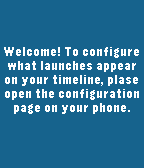
Not too glamorous, but it got the point across. The configuration page, on the other hand, looked like this:
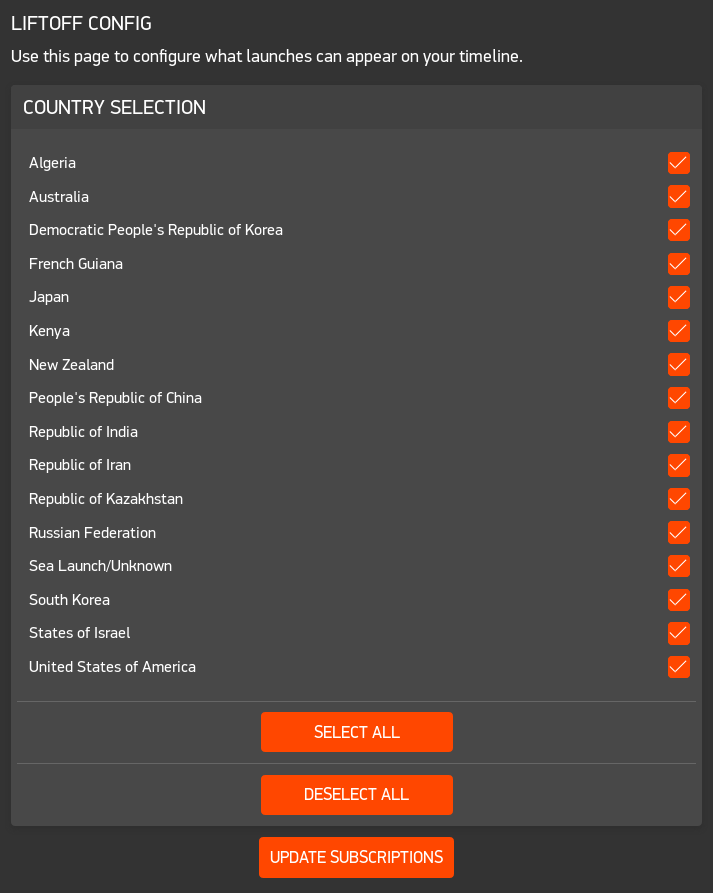
My only UX improvement I wish I had made was to send an initial pin to users after they install telling them the app was working. Because otherwise, there's little confirmation about what you've done.
Marketing
This is something I did market. I put in a lot of work, and wanted it to look as proffesional as possible. So, I started with some appstore assets, logos, and even a website to help showcase the app. With the app's interface being a bit bare, boring screenshots of the app itself really weren't relevant. So I had to really sell everything.
First, the logo. I started off trying to find a rocket icon that looked similar enough to the default slate of Pebble Timeline pins (Listed Here), but I just was never satisfied by anything I had found. So, I made my own one (shown below)

From there, I created an appstore banner with some inspiration from the Starport-75 logo work on Space Mountain
(Starport 75 for reference)
I then took photos of every platform available - and ones upcoming (The Pebble Time 2 was looking very fancy, and I wanted it. Of course, the company folded before it reached mass market, but there are still some of them floating around out there), and began to play with a website.
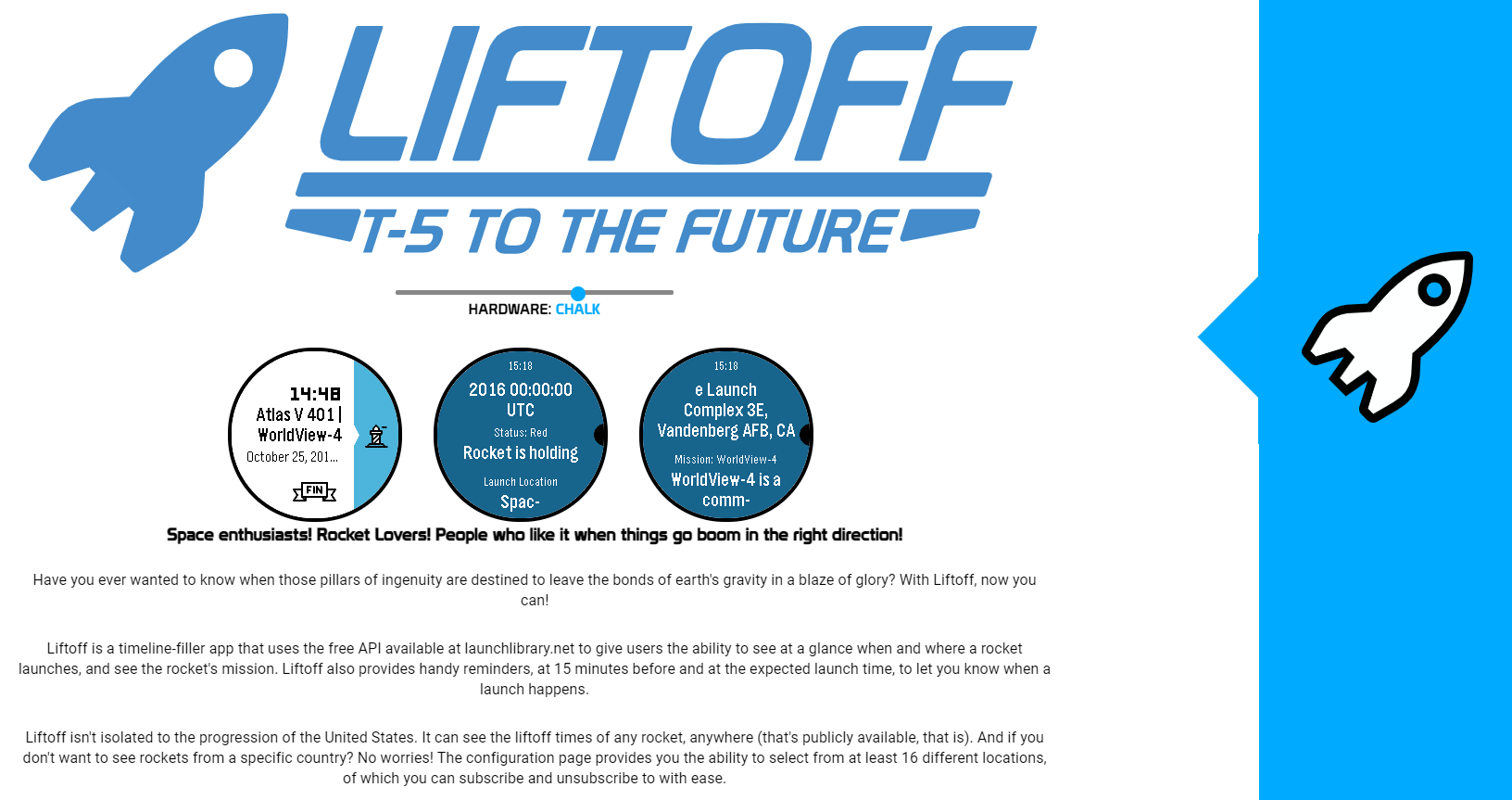
I'd found a CSS/HTML template I thought would be very, very appropriate for this: Dan Tilden's Timeline Style Web: Timeline Style Template (freakified.github.io)
Just a few tweaks, and it became: Get Liftoff
With this completed, and the app ready to go on the appstore, it was time.
Release
After hitting "Release" on the appstore page, I dropped the link to the webpage on the Pebble subreddit. Quickly, people started downloading and using the application, and it rose to the top of the pebble store's front page for a little bit. The banner I had created came in handy, showing up on the store page's carousel alongside other popular apps. Over time, it reached well over 2k downloads and somewhere around the 100+ likes on the pebble store. Not gargantuan, but a really respectable following - and the largest I had ever put together.
Soon, I expanded the featureset with what I think is the coolest feature: QR codes. Many launches included links to their relevant livestreams, so I set up the server script to create QR codes of these (in black and white, slightly smaller than the 166x148 screen size), and hosted them on the site. When a user opened a pin and clicked "Show Launch" on the app, the pebble would download the image over bluetooth and display it on the watch, allowing someone to just take out their phone and scan it to open the livestream.
I had plans for further features, too - what if you could view launches further out through the app itself? What if there was some way to customize the data even further? All these wonderful things.
The Death of Pebble
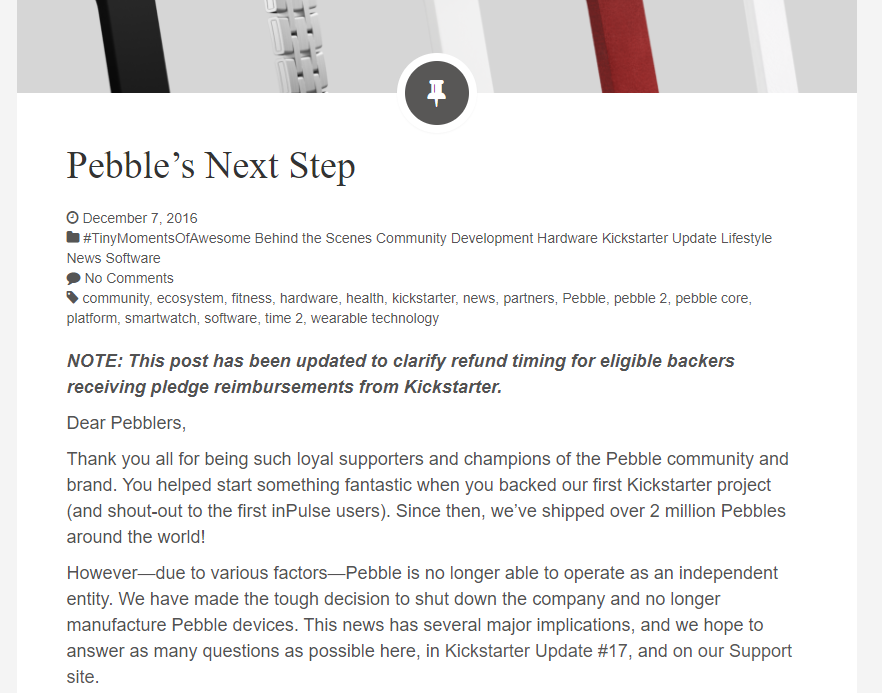
Pebble was working on deliving the Pebble 2, The Pebble Time 2, and a new small device that had no screen that I forget the name of. All of this was funded through a kickstarter back in the spring of 2016 - which was a little suspicious for a big company to do, but it was fine. Slowly, the kickstarter updates got delayed and delayed, and although the Pebble 2 was eventually released to great applause, and the Pebble Time 2 was getting close to the factory doors, communication stopped from the company for a bit.
Turns out they were out of money.
Fitbit was going to buy Pebble.
And it was going to nix everything.
We were refunded, if we hadn't gotten our rewards yet, and the Pebble platform would be operational for two full years from that date, but... that was going to be it.
Pebble was dead.
Naturally, my plans... faltered. Any ideas going forward were going to be small, personal, and quick. So, no big updates, no publishing of SSE2, nothing.
It was time to wrap it up and go to greener pastures.
Aftermath
I kept Liftoff running. It's a very low-maintenance system: as long as Pebble and Liftoff don't change their APIs, the service can run uninterrupted indefinitely. So, for those next two years Liftoff ran continuously without errors. Through countless rocket launches and image downloads, Liftoff served me and the community well. I'd get emails directly from users thanking me for making it, or questions about where I was getting the data, or anything else like that. Nobody would ask about new features.
Eventually, Pebble's official web servers did go down. Rebble, a fan and former-employee organized effort to replace them eventually did bring back the timeline support (alongside other functionality), but only for single-user pins. No topics, no subscriptions, no Liftoff. I made the requirement known to the team, but as it was a small group all volunteering time, it never got done.
I checked on it again this summer (2021), to see if I could resurrect the service. I could theoretically make it work with the single-user pins, by having the clients send their tokens to my server when they saved their subscription options. Then, I'd send each pin individually to the webserver. Not the most efficient, but I doubt the userbase would be big enough for that to be a trouble. Unfortunately, that's when the final nail in the coffin appeared.
LaunchLibrary.net had become "SpaceDevs," a different site and service that had a brand-new (and unfortunately incompatable) API schema. I tried for an afternoon, attempting to bodge the service back online, but found it would be too much work for how small the userbase would be.
I shut down Liftoff for good on April 25th, 2021.
Personal Impact
While liftoff may be dead, the impact it had on me was sizable. It was my biggest professional project at the time, it accrued some modicum of confidence in me and my programming skills, and it helped me get through a tough time in High School by letting my brain be immersed in this project. I regularly got - and still sometimes get - emails from fans of the application. In my email inbox I have saved over a dozen different messages from users thanking me for my work, and even requests for more. Every time I did, I saw an actual human that enjoyed what I had created. I saw a name, a message, an email. It made me really, really happy.
RIP Pebble.
RIP Liftoff.
Thanks for all the fun.
Liftoff can be found on the Pebble appstore here, but it is entirely nonfunctional: Liftoff | App (rebble.io)
The source code for the website can be found here: thomasstoeckert/getliftoff (github.com)